Help Center Getting started
Vet forms
Ready-made vet referrals, owner consents and reports that clients or vets sign online, and where the signed forms arrive.
Vet forms are a vet referral or approval, an owner consent and a report to the vet, ready made for your state and fully editable. Clients (or vets) fill them in and sign them on your public page. Signed forms arrive in the Clinic Inbox, where they are filed to the patient. Nothing here ever blocks care: a missing or expired approval only shows a reminder.
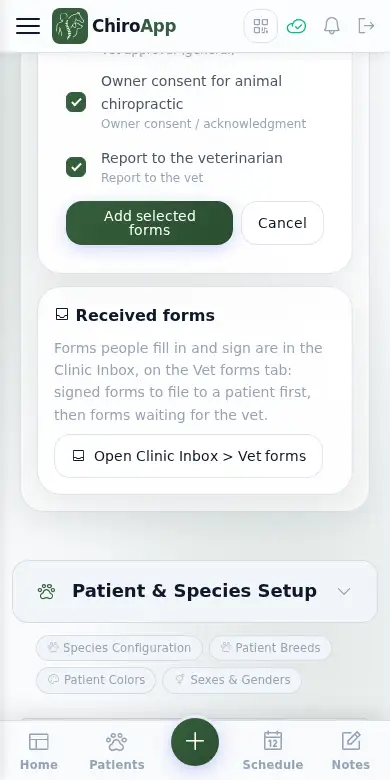
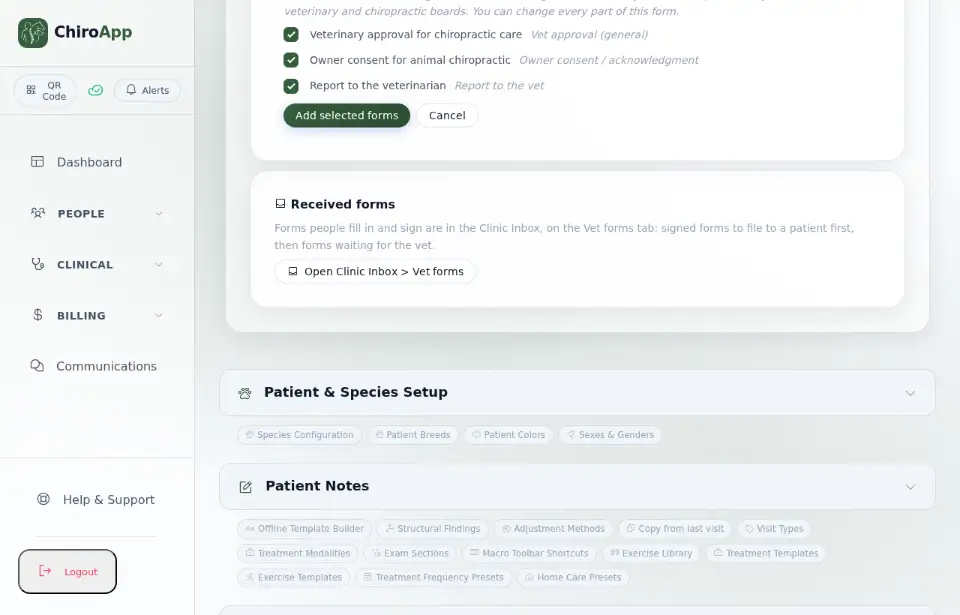
In the menu, open Setup, then Vet Forms. Press Add ready-made forms to see the forms for your state. Each form shows its type (for example a vet referral or a report to the vet) under its name. Tick the forms you want and press Add selected forms; you can change every part of them afterwards.
On a phone On a phone, the type of each ready-made form is shown in small text under its name.
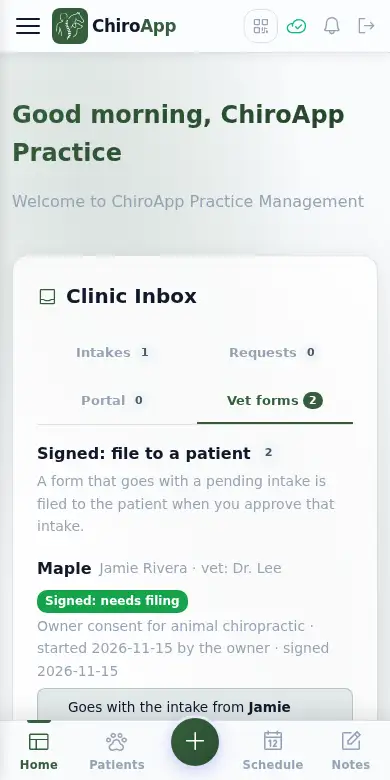
Signed forms arrive in the Clinic Inbox on the Dashboard, on the Vet forms tab. Signed: file to a patient comes first; these count in the Inbox number. Forms sent to the vet to sign are listed below them and do not count. (Setup > Vet Forms keeps your forms and settings, with a button that opens this tab.)
On a phone On a phone, the Clinic Inbox tabs are shown in two rows.
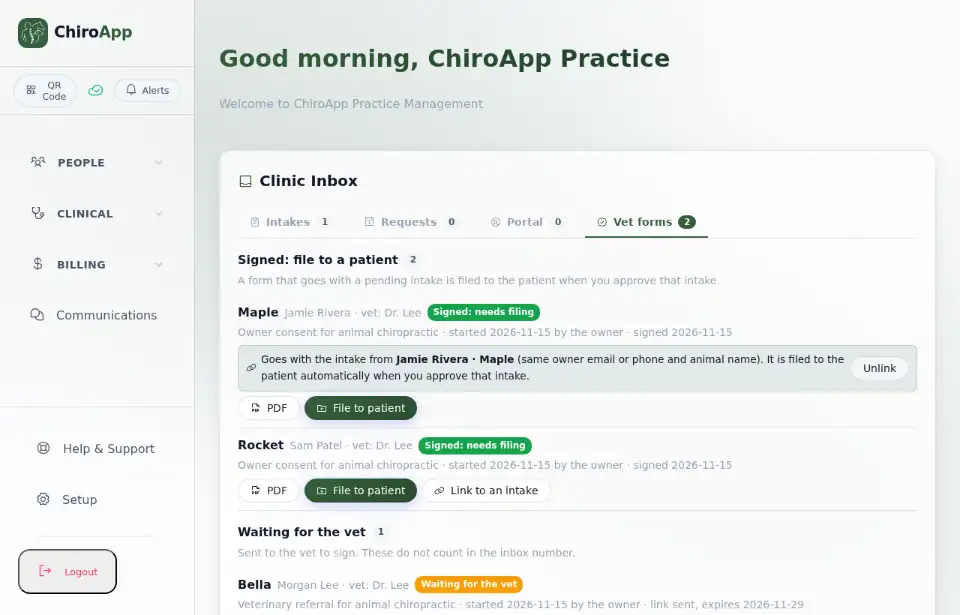
A signed form that goes with an intake waiting for approval (the same owner email or phone and the same animal name) names that intake. When you approve the intake, ChiroApp files the form to the patient automatically: the PDF goes into the patient's documents and the approval dates show on the patient. If it is not the right intake, press Unlink. A form that goes with no intake can be linked with Link to an intake.
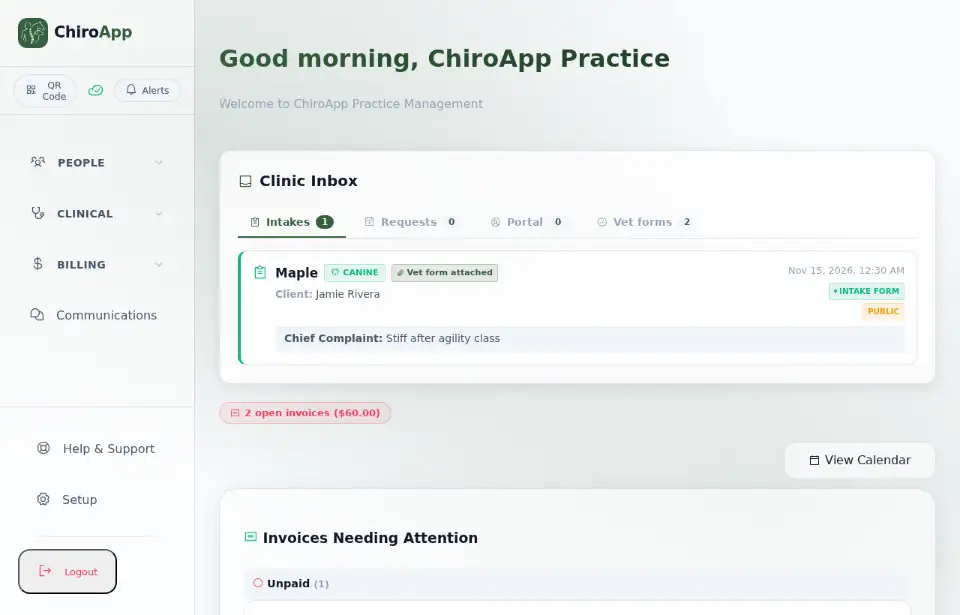
On the Intakes tab, that intake shows Vet form attached; the form is listed again when you open the intake to review it. If a form cannot be filed automatically, ChiroApp tries again; if it still cannot, the form says to file it by hand.
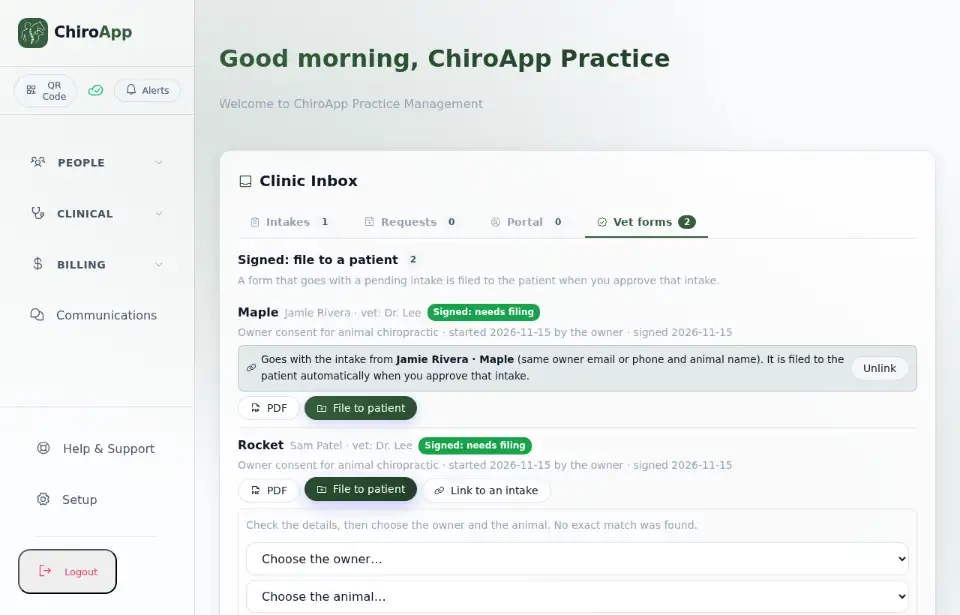
To file any other signed form, open the Vet forms tab, press File to patient, check the owner and the animal, and press File to this patient. Leave the email box ticked to send the signed PDF to the owner and the vet.
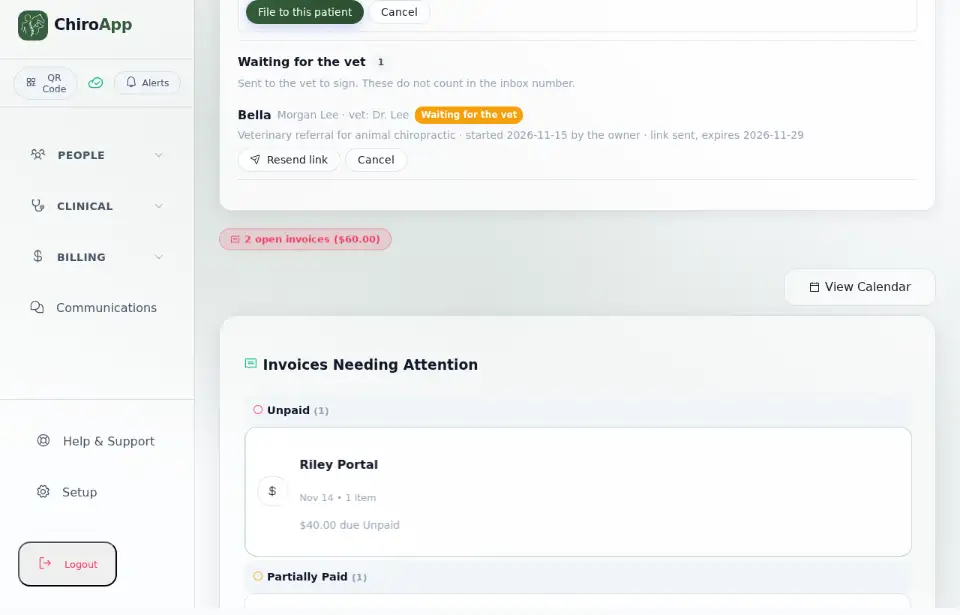
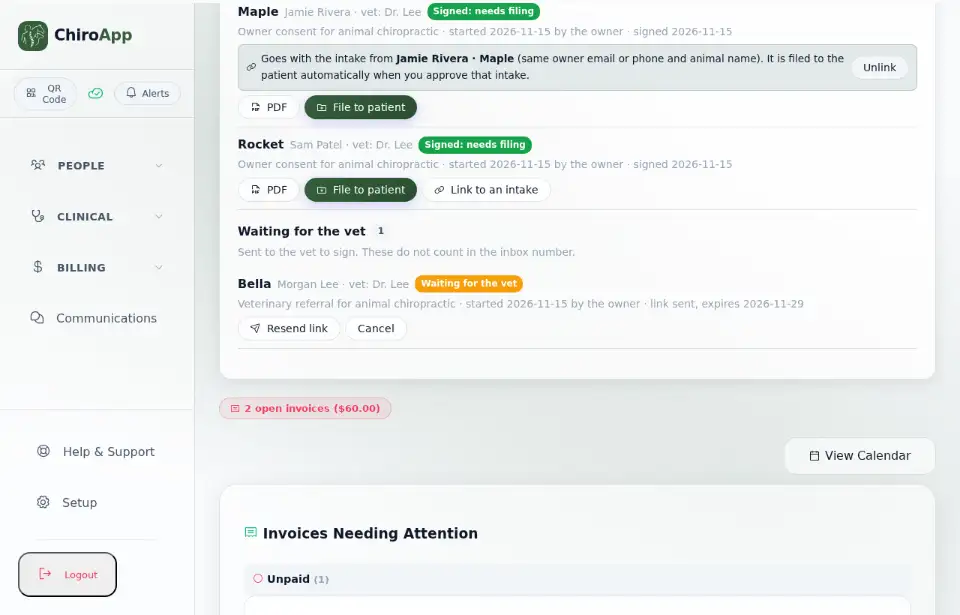
Under Waiting for the vet, press Resend link to email the vet a new link, or Cancel when the form is no longer needed.